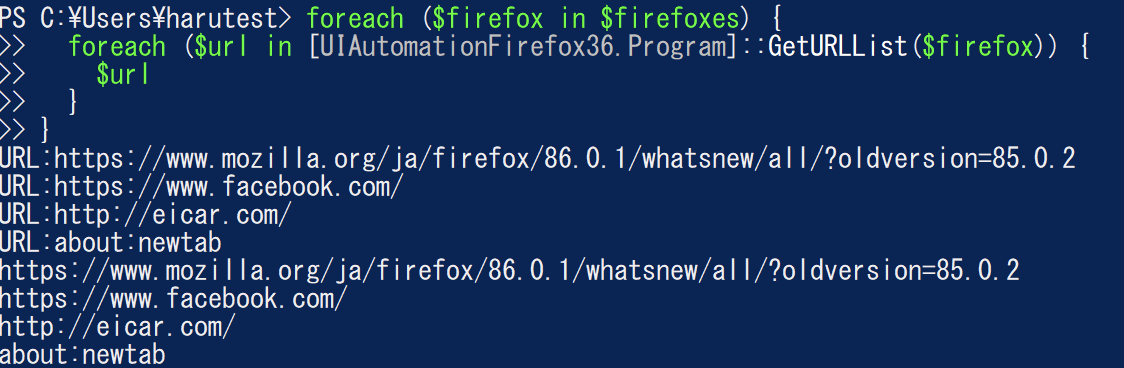
PowerShellから各種ブラウザで開いているURLを取得する (Windows10+FireFox編)
概要
色々Webを調べたんだけど、うまくばしっと取れるやつがなかったので自分で調べて作った。困ってる人もいそうな気がしなくもないので?書いておく。あとでIE編(超簡単)、Chrome編、MSEdge編も書く。
まず、AuntomationのConditionで絞って特定の属性を持つノードをとってくる、というのがわかってないと何をやってるのかさっぱりわからないので、とりあえずインストールしましょう。とりあえず、気軽に取れるのかな?って思って調べ始めたときは、「これで取れます!」って言っているコードが何を元にプロパティ名・値を指定しているのかさっぱりわからず迷宮入りした。
C:\Program Files (x86)\Windows Kits\10\bin\10.0.19041.0\x64 とかそういう感じのところに入ってます。
Windows SDK アーカイブ - Windows アプリ開発
こんな感じ。URLを持ってそうなやつがいますね。
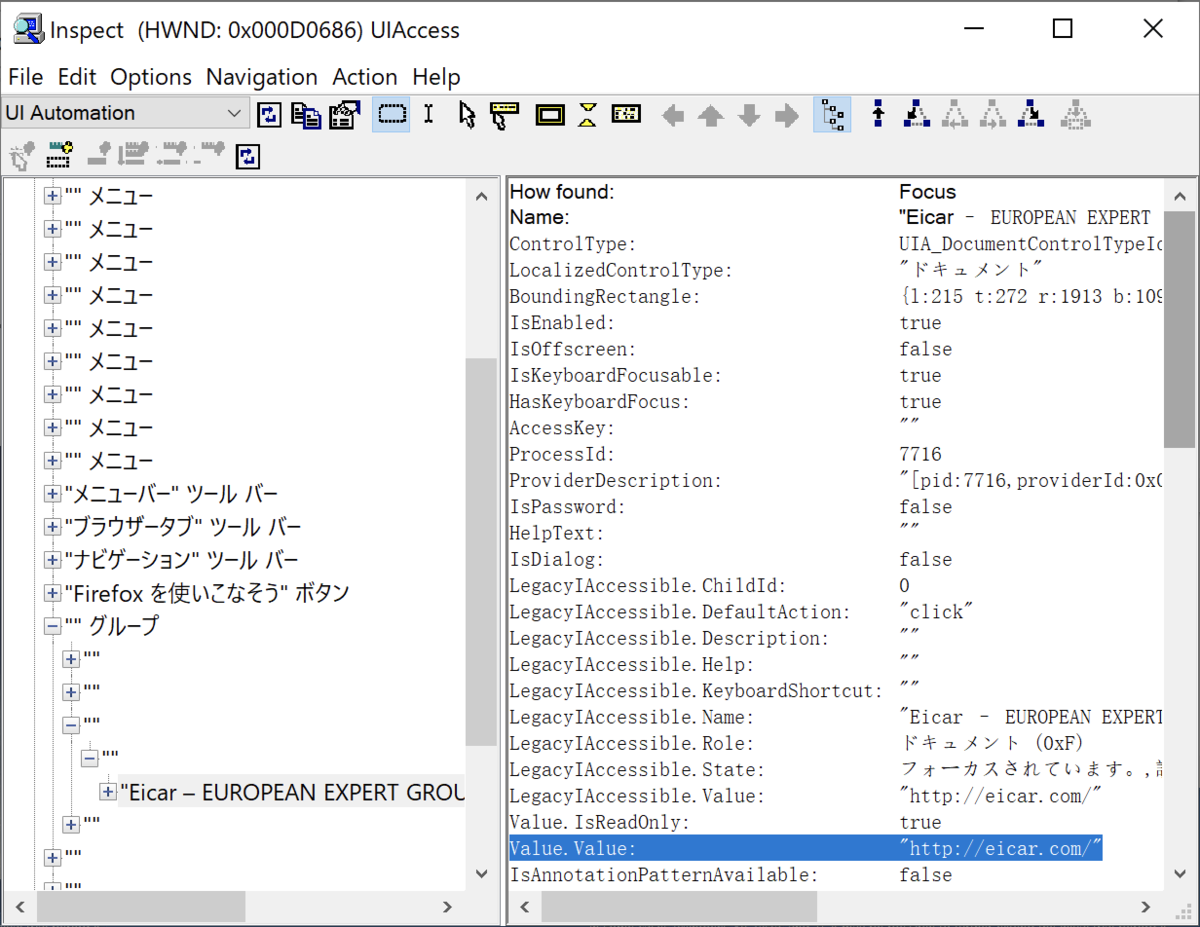
あとは、愚直に取ります。TreeScope.Descendants+FindAllするとコード的には簡単に取れますが、20秒くらい時間かかりました。開いてるタブ多いともっとかかりそう。あと、LocalizedControlTypeはLocalizedなので環境によって違う可能性があるので、利用する環境に合わせてInspectorでとってきた方が良さそう。
コード
$firefox_csharp = @"
using System;
using System.Windows.Automation;
using System.Diagnostics;
using System.Collections.Generic;
namespace UIAutomationFirefox {
  public class Program {
    public static List<String> GetURLList(Process process) {
      AutomationElementCollection roots = AutomationElement.RootElement.FindAll(TreeScope.Element | TreeScope.Children, new AndCondition(new PropertyCondition(AutomationElement.ProcessIdProperty, process.Id), new PropertyCondition(AutomationElement.ClassNameProperty, "MozillaWindowClass")));
      List<String> urlList = new List<String>();
      foreach (AutomationElement rootElement in roots){
        AutomationElementCollection groupElements = rootElement.FindAll(TreeScope.Element | TreeScope.Children, new PropertyCondition(AutomationElement.NameProperty, ""));
        foreach (AutomationElement groupElement in groupElements){
          if (groupElement.Current.ControlType.LocalizedControlType == "メニュー") {continue;}
          AutomationElementCollection children1 = groupElement.FindAll(TreeScope.Children, new PropertyCondition(AutomationElement.NameProperty, ""));
          foreach (AutomationElement child1 in children1){
            AutomationElementCollection children2 = child1.FindAll(TreeScope.Children, new PropertyCondition(AutomationElement.NameProperty, ""));
            foreach (AutomationElement child2 in children2){
              AutomationElementCollection docElements = child2.FindAll(TreeScope.Children, new PropertyCondition(AutomationElement.LocalizedControlTypeProperty, "ドキュメント"));
              foreach (AutomationElement docElement in docElements){
                ValuePattern v = (ValuePattern)docElement.GetCurrentPattern(ValuePattern.Pattern);
                Console.WriteLine("URL:" + v.Current.Value);
                urlList.Add(v.Current.Value);
              }
            }
          }
        }
      }
      return urlList;
    }
  }
}
"@
Add-Type -TypeDefinition $firefox_csharp -ReferencedAssemblies("UIAutomationClient", "UIAutomationTypes");

$firefoxes = (Get-Process -name firefox)
foreach ($firefox in $firefoxes) {
  foreach ($url in [UIAutomationFirefox.Program]::GetURLList($firefox)) {
    $url
  }
}